Legal Disclaimer: Pricing and feature comparisons mentioned in this article are current as of early 2025 and are subject to vendor changes. SiteSlate recommends verifying current details and integration capabilities directly with each software provider before making a purchasing decision.
The Invisible Line Item on Your P&L
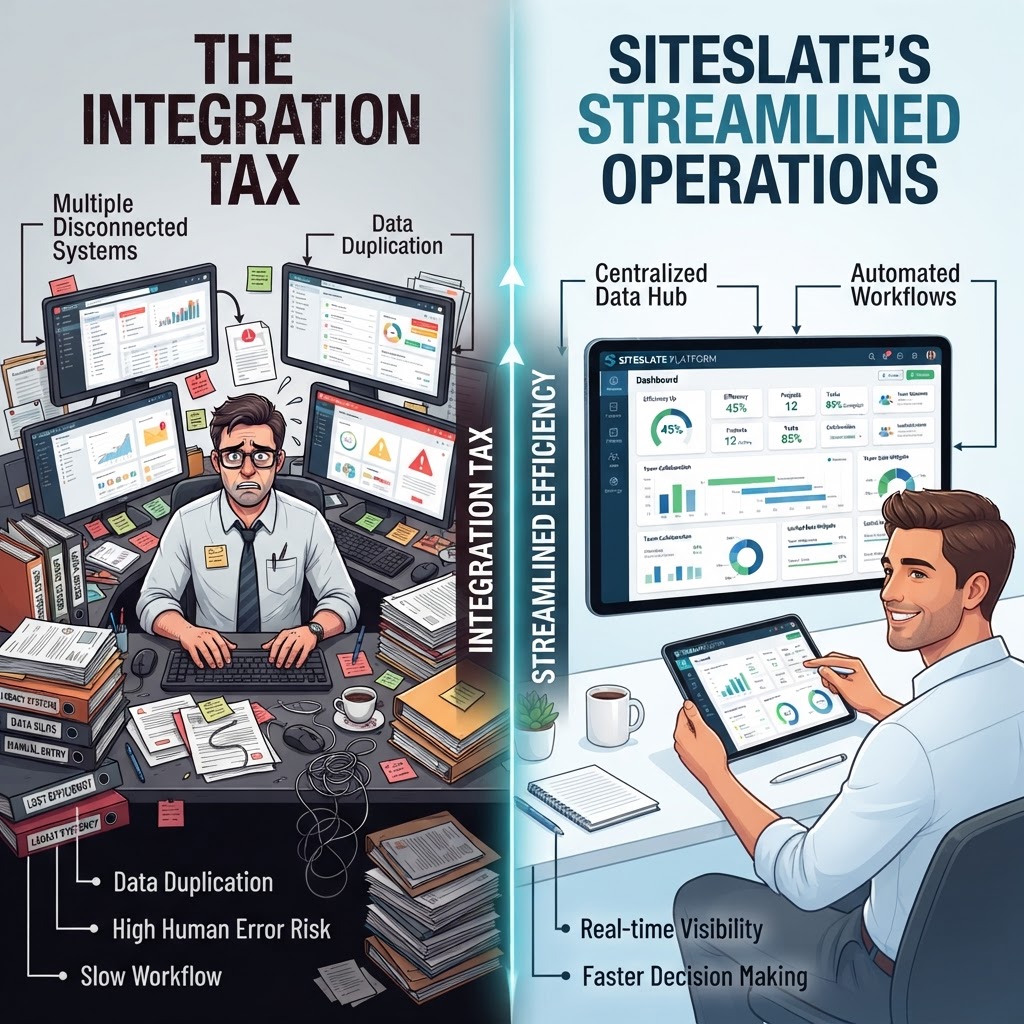
If you manage a crew of 20 field workers and your office staff spends their Mondays reconciling Saturday’s job tickets with QuickBooks, you are paying a tax. It doesn’t appear on your vendor invoices from Jobber or Housecall Pro, and your accountant doesn't file it with the IRS. It is the "Integration Tax"—the cumulative cost of manual labor required to move data between disconnected software tools.
For owners and operations leaders at contracting companies scaling toward 100 field workers, this tax is the single greatest friction point to growth. When your scheduling tool doesn’t talk to your job costing spreadsheet, and your spreadsheet doesn't talk to your accounting software, you aren't just losing time. You’re losing the ability to see if a job is actually profitable until weeks after the last truck has left the site.
The Point Solution Trap: Jobber vs Housecall Pro vs Contractor-Specific Systems
Most growing contractors start with "point solutions." These are tools designed to do one or two things exceptionally well. As of early 2025, tools like Jobber and Housecall Pro are industry leaders for a reason: they offer excellent route optimization, simple dispatching, and user-friendly mobile apps for the field.
However, as your headcount moves from 5 to 50, the limitations of these point solutions begin to surface. Because these platforms focus heavily on the front-end (sales and dispatch), they often lack the deep, native project management or complex job costing tools required for larger projects. This creates a "data silo."
When data is siloed, you are forced to "stitch" your tech stack together. You might use Jobber for scheduling, a custom Excel sheet for job costing, and QuickBooks Online for accounting. Even with native API integrations—which both Jobber and Housecall Pro have improved significantly in 2024 and 2025—data rarely flows perfectly. A field tech changes a line item on a work order, but that change doesn't reflect in the project manager’s budget spreadsheet. The result is a 30-to-45-day delay in job costing visibility.
Calculating the 'Stitching' Cost
To understand the real cost of all-in-one contractor software vs point solutions, you have to look at the "Hidden Labor." Consider a typical 40-person electrical or HVAC contracting firm. Their "Integration Tax" usually consists of three specific costs:
- The Manual Entry Cost: If an office manager spends 5 hours a week manually entering data from field reports into an accounting system or job costing sheet, that is 260 hours a year. At a $30/hour burdened labor rate, that’s $7,800 just to move data that should have moved itself.
- The Reporting Lag: When job costing is a month-end manual process rather than a real-time automated one, you cannot pivot on a failing job. Losing 2% of margin on a $500,000 project because you didn't realize labor hours were over budget until three weeks late costs you $10,000.
- The Onboarding Friction: Every time you add a new disconnected tool to your stack, the time it takes to train a new office hire increases. Teaching someone three different systems with three different logins and three different data entry rules is 3x more expensive than training them on one unified platform.
ServiceTitan Alternatives: When Complexity Becomes a Burden
When contractors realize their point solutions are breaking, they often look toward ServiceTitan. As of 2025, ServiceTitan remains one of the most powerful all-in-one platforms in the trades. It eliminates the data silo problem by housing everything from marketing to accounting in one place.
However, for many mid-sized companies, ServiceTitan introduces a different kind of tax: the Complexity Tax. Because the platform is highly configurable and built to handle massive enterprise needs, it often requires a dedicated administrator or a bookkeeper with specialized software training to manage the integrations. For a 15-person crew, the administrative overhead required to "feed the beast" of a high-end enterprise system can outweigh the benefits of its features.
This is where many operations leaders feel stuck. They are too large for the basic workflows of spreadsheets vs contractor operations platforms, but they don't have the back-office headcount to manage an enterprise-grade ERP.
The Unified Middle Ground: SiteSlate
SiteSlate was designed to bridge this specific gap for companies with 5–100 field workers. We approach the problem by eliminating the "Integration Tax" without introducing the "Complexity Tax."
Instead of stitching together three different tools, SiteSlate serves as a unified contractor operations platform. When a lead is captured, it turns into an estimate. When that estimate is approved, it automatically populates the project budget and the field schedule. When hours are logged in the field, they are instantly compared against the estimated labor hours in the budget.
There is no "sync" button. There is no manual export to a CSV file. The data exists in one place. For an operations leader, this means the "Integration Tax" drops to zero, and the visibility into job profitability happens in real-time, not at the end of the month.
Practical Steps to Audit Your Software Stack
If you suspect your company is leaking profit to the Integration Tax, perform this three-step audit over the next week:
1. Identify the 'Double-Entry' Points
Watch your office staff. How many times is the same piece of information (a customer’s address, a change order price, or a technician's hours) typed into more than one system? Any piece of data typed twice is a tax payment.
2. Measure the Job Costing Gap
Ask your project managers for the current profit margin on a job that is currently 50% complete. If they can’t give you a number within five minutes—or if they have to "run a report and get back to you tomorrow"—your software stack is failing to provide real-time operational intelligence.
3. Calculate the Software-to-Labor Ratio
Add up the monthly cost of your Jobber, Housecall Pro, or other point solution subscriptions. Then, estimate the monthly cost of the labor hours spent reconciling those tools. In many cases, the labor cost is 2x to 3x the software subscription cost. A platform that costs more per month but eliminates those labor hours is almost always the more profitable choice.
Summary: Efficiency is Not Just a Feature
Choosing between Jobber vs Housecall Pro vs a contractor-specific system like SiteSlate isn't just about comparing button layouts or mobile app ratings. It’s about deciding how much "manual coordination" you are willing to fund.
As you scale past 5 field workers, the "Integration Tax" grows exponentially. What was a minor annoyance at 5 workers becomes a full-time salary's worth of waste at 50. The goal of a modern contractor operations platform is to make your data work as hard as your crews do. If your office is spending more time managing software than managing jobs, it’s time to stop paying the tax.
Ready to see a unified system in action? Book a working demo of SiteSlate today.